Intelligence Missions: Let Didascal Watch the World For You
Most research work isn't the hard part. The hard part is doing it again — checking the same list of companies, people, or topics every week, re-reading
sources you've already read, and hoping you didn't miss the one update that mattered. That's the gap Intelligence Missions close.
An Intelligence Mission turns a Didascal project from something you actively chat with into something that actively watches for you: it reads what your agents publish, extracts the entities you actually care about, decides whether each one is worth tracking, and — once you say yes — keeps a permanent eye on it. You only get pulled in for judgment calls; everything mechanical happens on its own.
What problem it actually solves
If you've done any kind of ongoing research — due diligence, competitive tracking, vendor risk, market monitoring, investigative work — the workflow is usually the same:
- Search for things matching a profile (a sector, a region, a role, a risk pattern).
- Read what comes back and figure out which hits are real and which are noise.
- Decide which ones deserve continued attention.
- Keep checking those, indefinitely, for anything new.
Steps 1 and 2 are tedious but bounded. Step 4 is the one that quietly consumes people's time, because "keep checking" has no natural end point — and it's exactly the step most likely to be dropped when things get busy, which is also when something changes.
Intelligence Missions take steps 1, 2 and 4 off your plate, and keep you firmly in charge of step 3 — the only one that actually needs a human.
Where it's useful
Intelligence Missions are a fit anywhere you're monitoring a population of things against a profile, not just researching a single one-off question:
- Competitive & market intelligence — track every company matching a sector/size/region profile, and get notified when one of them does something that matches your indicators (funding, leadership change, expansion, a specific keyword in the news).
- Vendor / partner / KYC-style risk monitoring — qualify counterparties against hard criteria and a scoring rubric, then keep watching the ones you approved for new risk signals.
- Investigative & journalistic research — let the mission surface and deduplicate entities mentioned across a stream of sources, with every field traceable back to the document that stated it.
- Lead or opportunity qualification — score inbound candidates against your criteria automatically, and only ask for a human decision on the ones that land in the middle.
- Topic and graph expansion — when a tracked entity's coverage mentions a related entity, the mission can follow that thread outward, within limits you set.
If you'd otherwise be maintaining a spreadsheet of "things to keep an eye on," this is the feature that replaces the spreadsheet.
How it works, step by step
An Intelligence Mission is built on the same project you already chat with — it doesn't require a new workspace or a new mental model. Under the hood, it runs as a nightly pipeline with one human checkpoint in the middle.
1 · Collect — your agents keep doing their job
A mission doesn't search on its own. It reads what the agents already linked to the project publish, on their existing schedule. Every post they write is evidence the mission can reason over later, with its source attached. If no agent is linked, the mission has nothing to read — so this is the one prerequisite.
2 · Extract — entities, one post at a time
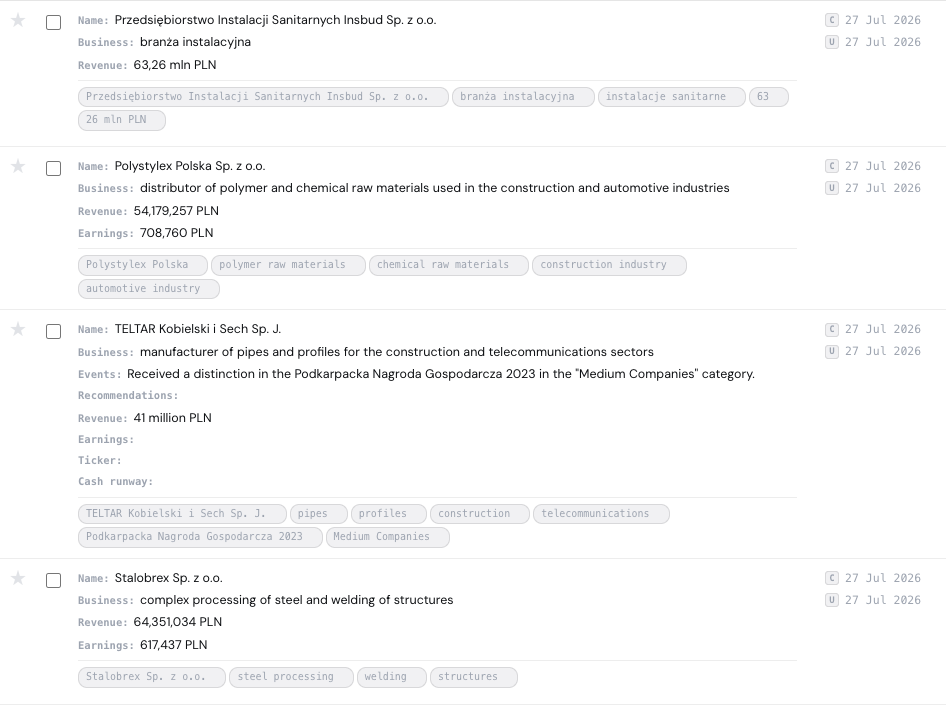
Each night, every new post is read separately against your target entity type. Reading posts one at a time — rather than one big blob of text — is what lets every extracted field keep a direct link back to the exact document that asserted it. Nothing is claimed without a source.
3 · Deduplicate — safely, and reversibly
"ACME Sp. z o.o." and "Acme sp. z o. o." need to become one entity, not two half-populated ones. Identifier fields, spelling distance and embeddings decide what's a confident match. Confident matches merge automatically; anything ambiguous is kept apart and flagged for a look, because a wrong merge quietly corrupts a dossier while a wrong split is trivial to fix later. Merges are reversible — the absorbed record is archived, never deleted.
4 · Gate — filter, then score
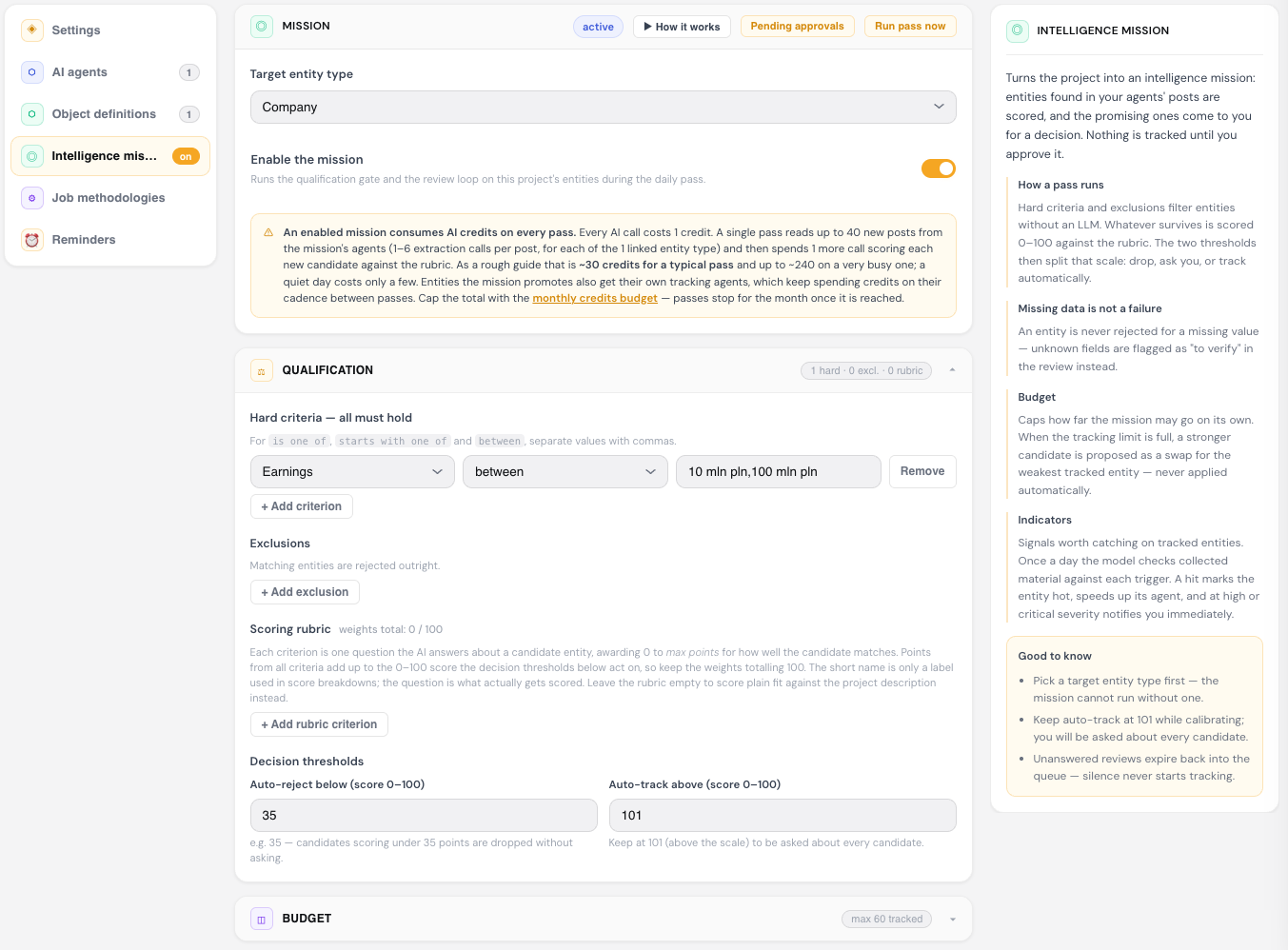
Surviving candidates go through your hard criteria and exclusions first — plain rule checks, no AI involved, so nothing ambiguous slips past a disqualifying fact. What's left is scored 0–100 against a rubric you define: a set of weighted questions an AI answers about the candidate (e.g. "Does the company sell to enterprise customers?"). A missing value never causes a rejection — it's flagged as "to verify" instead.
Two thresholds turn that score into a decision:
| Score band | Outcome |
|---|---|
| Below your auto-reject threshold | Dropped automatically |
| Between the two thresholds | Sent to you for a decision |
| Above your auto-track threshold | Tracked automatically |
Leave auto-track at its default (above the scale) and you'll be asked about every candidate — a deliberately conservative starting point.
5 · Review — you decide, nothing writes itself
When candidates need a decision, you get an email — but it's a notification, not an action link. It tells you something is waiting and takes you into the app, where you see the score, the reasoning and the source signals before choosing Track, Reject, or Later. Silence is never treated as consent: an unanswered review simply expires back into the queue instead of resolving itself either way.
6 · Track — approved entities get watched, adaptively
Approving an entity spins up a dedicated tracking agent at the cadence you chose. From there, your indicators are checked continuously against whatever that agent finds:
- A hit marks the entity hot, speeds up its check-in cadence, and — at high severity — notifies you immediately.
- Quiet entities gradually slow down and eventually go dormant, so they stop burning credits without being deleted.
- Automation is allowed to speed up a cadence you set manually, but it will never slow one down without asking first.
Built around a few hard rules
A few design decisions run through every step, on purpose:
- Provenance is non-negotiable. Every field remembers the post and URL it came from. A claim with no source is never recorded in the first place.
- A human makes every judgment call. The gate can reject or promote automatically at the extremes, but anything in between — and anything genuinely ambiguous — comes to you.
- Reversibility over false confidence. Merges, rejections and cadence changes are all designed to be undone rather than trusted blindly.
- Cost stays visible and capped. A mission spends AI credits on every pass, and you set the monthly ceiling — once it's hit, passes simply pause until next month rather than running unmetered.
The net effect
Once a mission is configured, your day-to-day interaction with it shrinks to exactly the moments that need judgment: approving a candidate, reading an escalation about something that just went hot, or occasionally reversing a merge. Everything else — reading sources, extracting entities, catching duplicates, scoring fit, adjusting monitoring cadence — runs on its own, every night, without anyone having to remember to check.
That's the point of calling it a mission rather than a search: you set the objective once, and it keeps running until you tell it to stop.
Where to find it
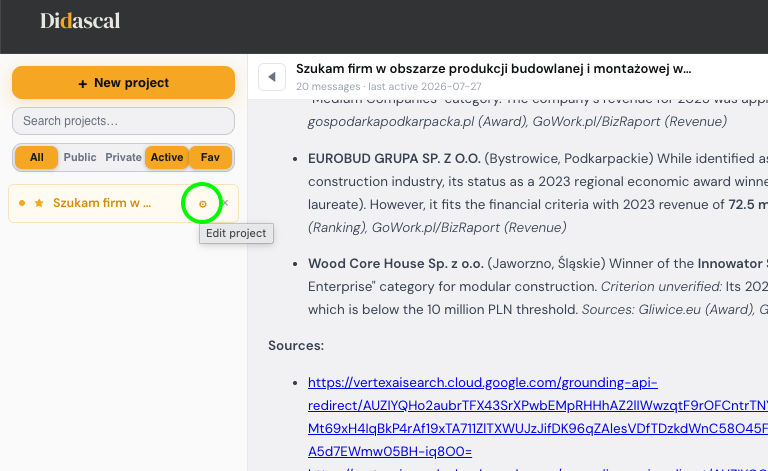
Open any project in Didascal, click the gear icon ("Edit project") next to it in the chat view, and pick Intelligence mission from the left-hand menu of the project editor. That's the same panel where you set the target entity type, the qualification rubric, budget caps and review recipients — everything described above lives right there, one toggle away from being switched on.